
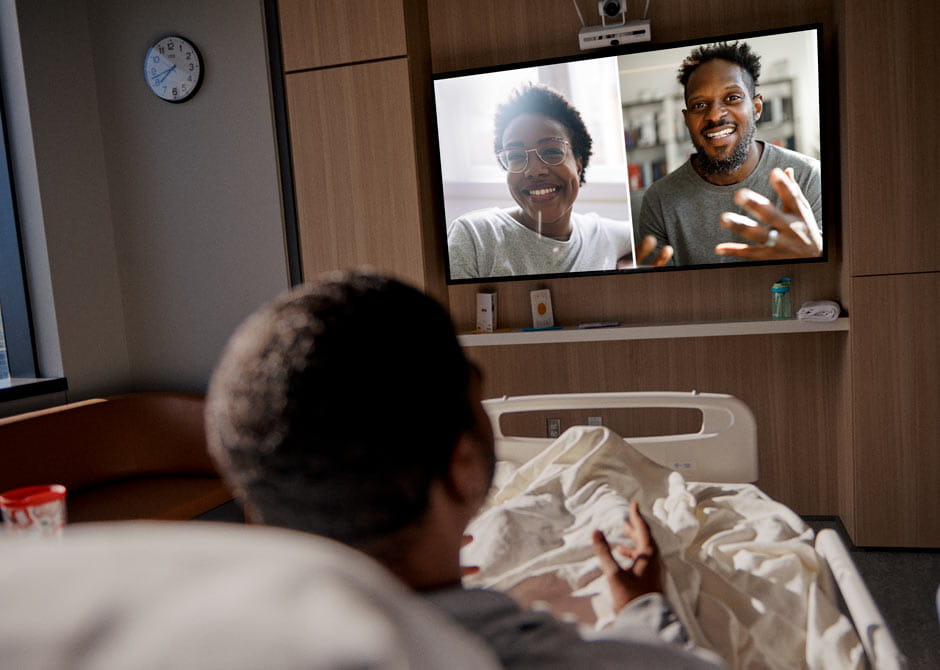
 Your room is designed with your comfort and health in mind. Explore the features and technology that can help you communicate with your care team and connect to the world outside.
How to connect to our free Wi-Fi
- Make sure your computer or mobile device is configured for wireless.
- Select OSUMC Guest Internet.
- After you open your web browser, you’ll see a usage disclaimer.
- If you agree to the usage terms and conditions, click on the “Agree” button.
Television channel listings
Channel listings will appear on your TV screen each time you turn it on.
Learn more about using your TV
Hospital telephones and frequently called numbers
- To make a free local call, dial 9 and then the 10-digit phone number you’re calling. For example, 9-614-555-1234.
- The name and phone number for your nurse or patient care associate (PCA) is listed on the whiteboard in your room, or, if you’re staying in University Hospital, is displayed on your TV’s digital whiteboard.
- For frequently called Wexner Medical Center contacts, use this Telephone Guide.
Information, entertainment and comfort features
-
How to lock and unlock your room closet
To keep personal items safe in your room's locked closet, follow these instructions each time you open or close the door:
- Press the "C" button
- Enter your four-digit code. (You will set your own code the first time you use the keypad to open the closet.)
- Press the key button.
- Open/Close the door.
How to use your TV
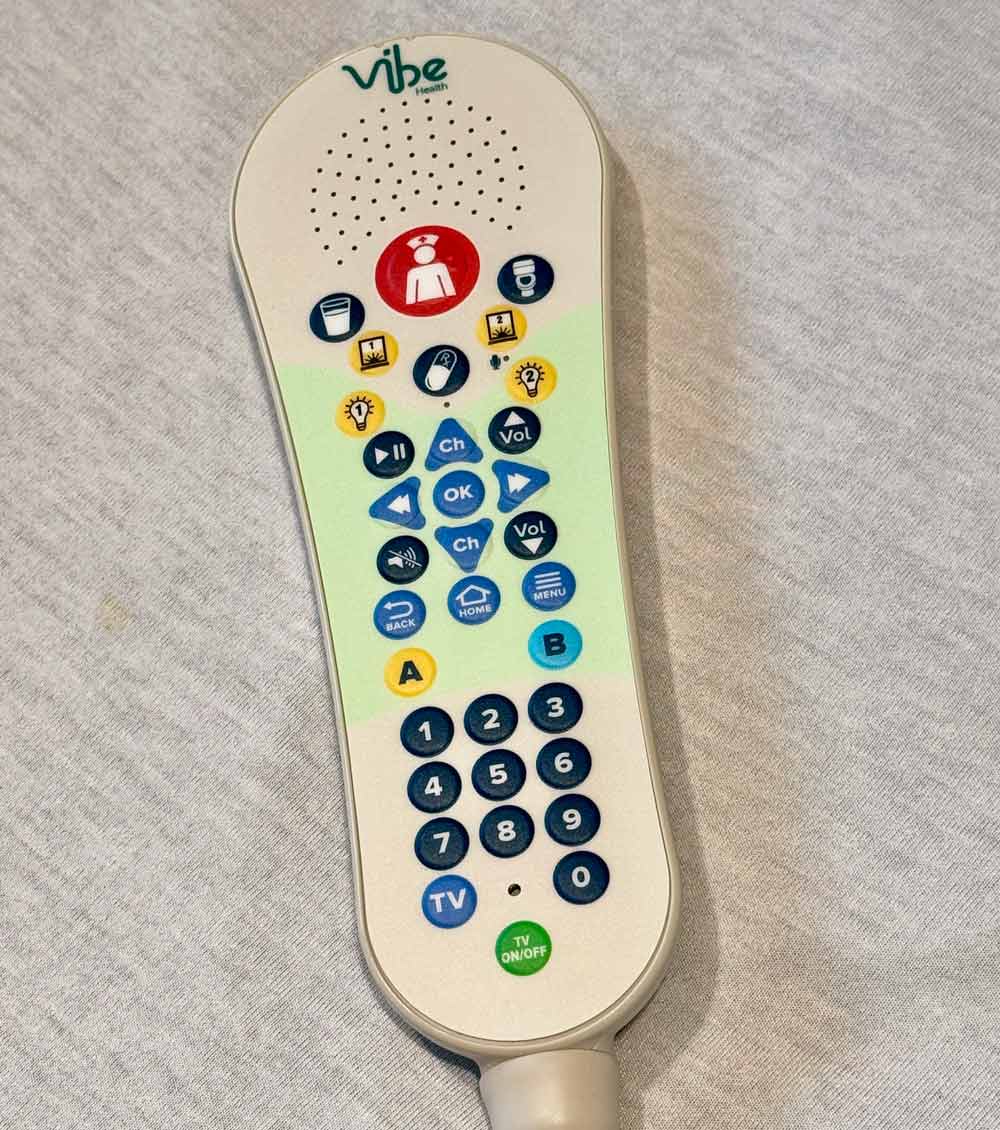
- Use your pillow speaker/remote to turn on your TV.
- Press “OK” to view a how-to video about using the TV.
- You can watch TV channels, movies and relaxation content, and see information about your stay, along with:
- Controls for window shades and room lighting
- Health education videos that have been shared with you
- Auto-display of each care team member’s name (activated by their identification badge when they enter your room)
- A how-to video for using MyChart Bedside
- Video conferencing with your care team
- Hospital and visitor information
- A digital whiteboard listing information about your medical care
- Quick whiteboard access tip: While on your TV welcome screen, press “A” on your pillow speaker/remote or navigate to the Whiteboard icon.
- A pop-up reminder will display on your TV screen at 9 a.m. and 9 p.m. to remind you to view your whiteboard.
How to approve use of your video camera
If your room has a video camera, it can be used for video conferences with your doctor, nurse or other team members.
- When not in use, the camera remains off and pointed toward the ceiling.
- Video conferences will be scheduled in advance, and hospital staff will help you with access.
- If you want family members or others to join, they can use the meeting link to connect using their own phone, tablet or computer.
- Before the video conference begins, you will hear a chime, like a doorbell.
- After you give approval, the camera will turn toward you, and the session will take place on your TV screen.
- After your video conference is done, the camera will rotate back up and turn off to protect your privacy.
MyChart Bedside
Tablets provided during your stay give easy access to MyChart Bedside, which allows you to:
- See your medical information, including vitals, test results and daily schedule
- Read and sign forms electronically
- Order meals
- Message your care team
- Order prescription delivery to your room before you go home
Learn more and read MyChart Bedside instructions and view a how-to video about MyChart Bedside.
-
If you’re staying at another Wexner Medical Center hospital, your communication, connectivity and entertainment are controlled with multiple devices instead of one.
- An easily visible whiteboard will be continually updated with your care team members’ names and contact information.
- A pillow speaker/remote provides one point of access to your nurse call button, bed settings, light control and television.
- MyChart Bedside can be accessed using the tablet provided during your stay to:
- See your medical information, including vitals, test results and daily schedule
- Read and sign forms electronically
- Order meals
- Message your care team
- Order prescription delivery to your room before you go home
Learn more and read MyChart Bedside instructions and view a how-to video about MyChart Bedside.